Snake game in Python ..🐱🐉🐲
Snake game in Python ....
... using pygame ...
import pygame
import time
import random

snake_speed = 15

# Window height and width
window_x = 720
window_y = 480

# defining colors
black = pygame.Color(0, 0, 0)
white = pygame.Color(255, 255, 255)
red = pygame.Color(255, 0, 0)
green = pygame.Color(0, 255, 0)
blue = pygame.Color(0, 0, 255)

# Initializing pygame
pygame.init()

# Initialize the game window
pygame.display.set_caption('Snake')
game_window = pygame.display.set_mode((window_x, window_y))

# FPS (frames per second)
fps = pygame.time.Clock()

# defining snake default position
snake_position = [100, 50]

# defining first 4 blocks of snake body
snake_body = [[100, 50],
              [90, 50],
              [80, 50],
              [70, 50]
              ]
# food position
fruit_position = [random.randrange(1, (window_x // 10)) * 10,
                  random.randrange(1, (window_y // 10)) * 10]

fruit_spawn = True

# setting default snake direction towards
# right
direction = 'RIGHT'
change_to = direction

# initial score
score = 0


# function for displaying Score
def show_score(choice, color, font, size):
    # creating font object score_font
    score_font = pygame.font.SysFont(font, size)

    # create the display surface object
    # score_surface
    score_surface = score_font.render('Score : ' + str(score), True, color)

    # create a rectangular object for the text
    # surface object
    score_rect = score_surface.get_rect()

    # displaying text
    game_window.blit(score_surface, score_rect)


# game over function
def game_over():
    # creating font object
    my_font = pygame.font.SysFont('times new roman', 50)

    # creating a text surface on which text
    # will be shown
    game_over_surface = my_font.render(
        'Your Score is : ' + str(score), True, red)

    # create a rectangular object for the text
    # surface object
    game_over_rect = game_over_surface.get_rect()

    # setting position of the text
    game_over_rect.midtop = (window_x / 2, window_y / 4)

    # blit method will draw the text on screen
    game_window.blit(game_over_surface, game_over_rect)
    pygame.display.flip()

    # after 2 seconds we will quit the program
    time.sleep(2)

    # deactivating pygame library
    pygame.quit()

    # quitting the program
    quit()


# Main Function
while True:

    # handling key events
    for event in pygame.event.get():
        if event.type == pygame.KEYDOWN:
            if event.key == pygame.K_UP:
                change_to = 'UP'
            if event.key == pygame.K_DOWN:
                change_to = 'DOWN'
            if event.key == pygame.K_LEFT:
                change_to = 'LEFT'
            if event.key == pygame.K_RIGHT:
                change_to = 'RIGHT'

    # If two keys pressed simultaneously
    # we don't want snake to move into two
    # directions simultaneously
    if change_to == 'UP' and direction != 'DOWN':
        direction = 'UP'
    if change_to == 'DOWN' and direction != 'UP':
        direction = 'DOWN'
    if change_to == 'LEFT' and direction != 'RIGHT':
        direction = 'LEFT'
    if change_to == 'RIGHT' and direction != 'LEFT':
        direction = 'RIGHT'

    # Moving the snake
    if direction == 'UP':
        snake_position[1] -= 10
    if direction == 'DOWN':
        snake_position[1] += 10
    if direction == 'LEFT':
        snake_position[0] -= 10
    if direction == 'RIGHT':
        snake_position[0] += 10

    # Snake body growing mechanism
    # if food and snakes collide then scores
    # will be increased by 10
    snake_body.insert(0, list(snake_position))
    if snake_position[0] == fruit_position[0] and snake_position[1] == fruit_position[1]:
        score += 10
        fruit_spawn = False
    else:
        snake_body.pop()

    if not fruit_spawn:
        fruit_position = [random.randrange(1, (window_x // 10)) * 10,
                          random.randrange(1, (window_y // 10)) * 10]

    fruit_spawn = True
    game_window.fill(black)

    for pos in snake_body:
        pygame.draw.rect(game_window, green,
                         pygame.Rect(pos[0], pos[1], 10, 10))
    pygame.draw.rect(game_window, white, pygame.Rect(
        fruit_position[0], fruit_position[1], 10, 10))

    # Game Over conditions
    if snake_position[0] < 0 or snake_position[0] > window_x - 10:
        game_over()
    if snake_position[1] < 0 or snake_position[1] > window_y - 10:
        game_over()

    # Touching the snake body
    for block in snake_body[1:]:
        if snake_position[0] == block[0] and snake_position[1] == block[1]:
            game_over()

    # displaying score continously
    show_score(1, white, 'times new roman', 20)

    # Refresh game screen
    pygame.display.update()

    # Frame Per Second /Refresh Rate
    fps.tick(snake_speed)
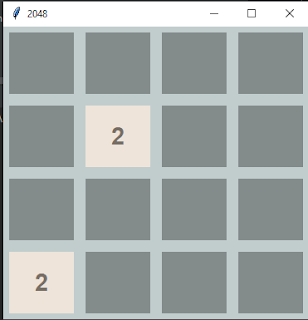
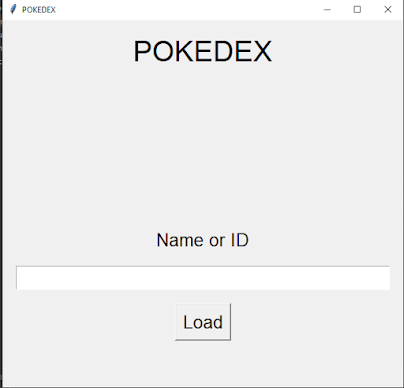
And the game looks like ....

Comments
Post a Comment